 StaffBee
Attendance, leave and salary for your staff, on one phone.
Your staff punch in at the workplace from their own phone. You see who came in, approve leave, and pay salary at month end from the same records. No register, no arguments over which days were worked.
The register on the counter has done its job. It’s time for something better.
“He signed for me, I was just late.”
Buddy punching
Each person punches from their own phone, at the workplace, with an optional selfie. Fake-location apps are refused.
“I came that Sunday, check again.”
Salary-day disputes
Every day has a record. A correction shows who made it and when, so month end is the record, not memory against memory.
“Where did the October register go?”
Paper that goes missing
Registers get wet, torn and lost. StaffBee keeps the records safely and exports them to PDF or Excel whenever you need them.
Everything from the first punch to the payslip.
Every feature is included. Each one has its own page with screens, steps and answers.
GPS attendance
Punch only inside the workplace radius. Fake-location apps are refused.
Read more →Selfie attendance
A selfie with the first punch of the day, if you turn it on. Kept 90 days.
Read more →Works offline
No signal in the basement? Staff still punch. It syncs when the phone is back online.
Read more →Shifts and late marks
Shifts, grace time, several punches a day, and an automatic punch-out at shift end.
Read more →Manual and bulk marking
Mark staff without a phone, or a whole team at once. Every change keeps who made it and why.
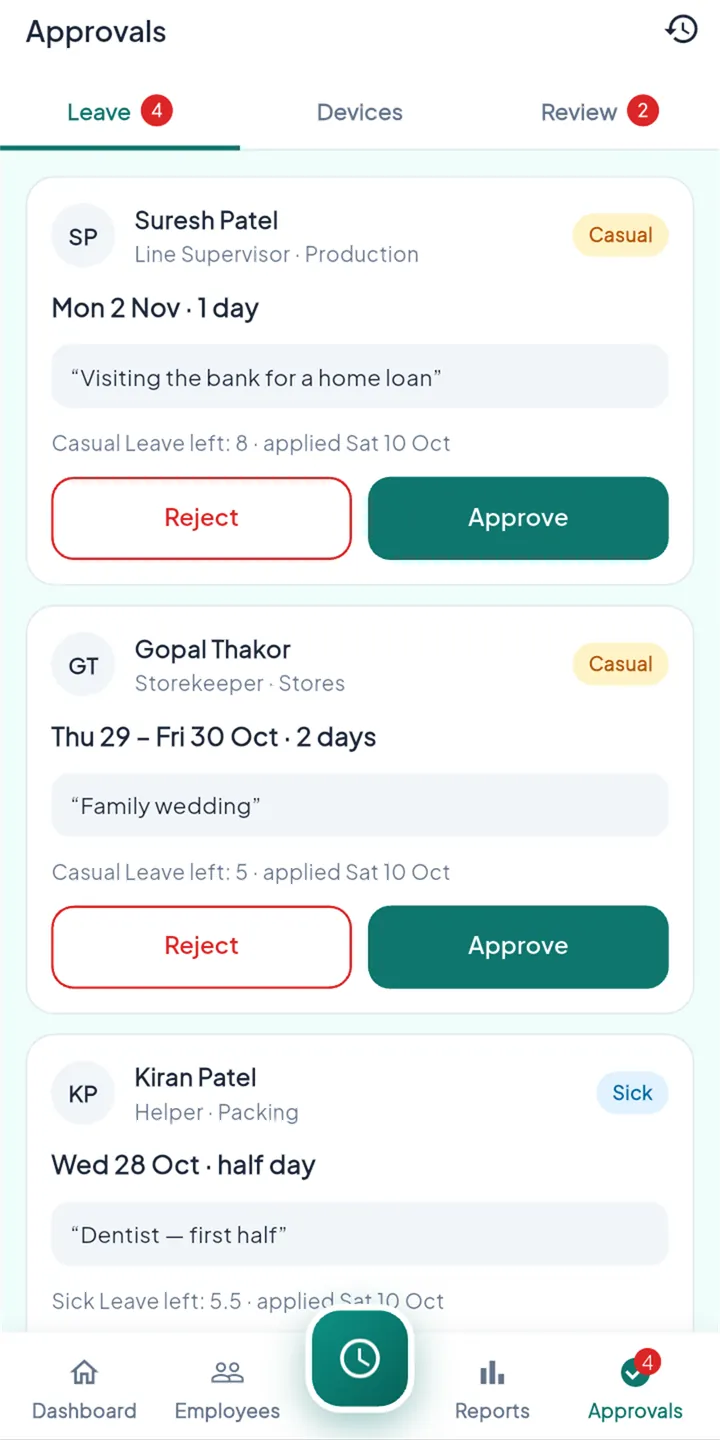
Read more →Leave and holidays
Your own leave types and balances. Staff request from the app; you approve in one tap.
Read more →Salary and payslips
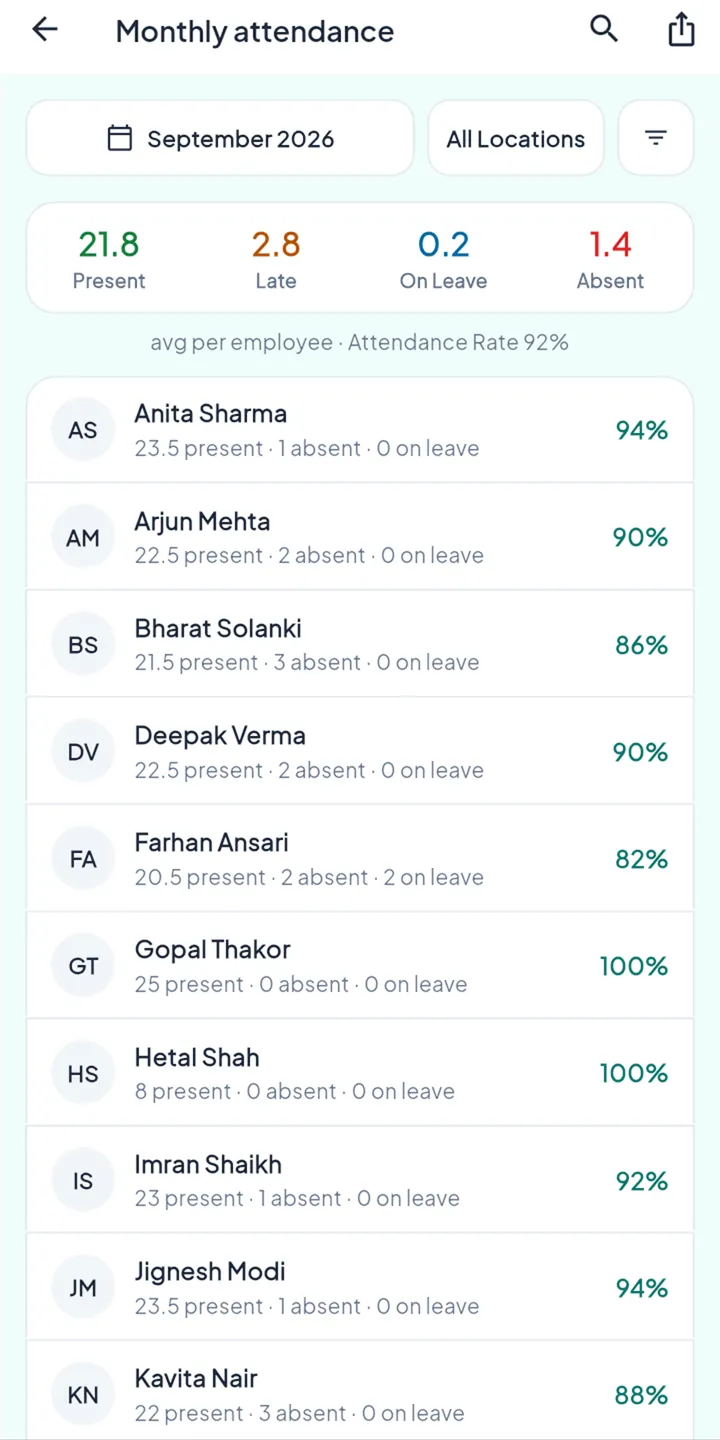
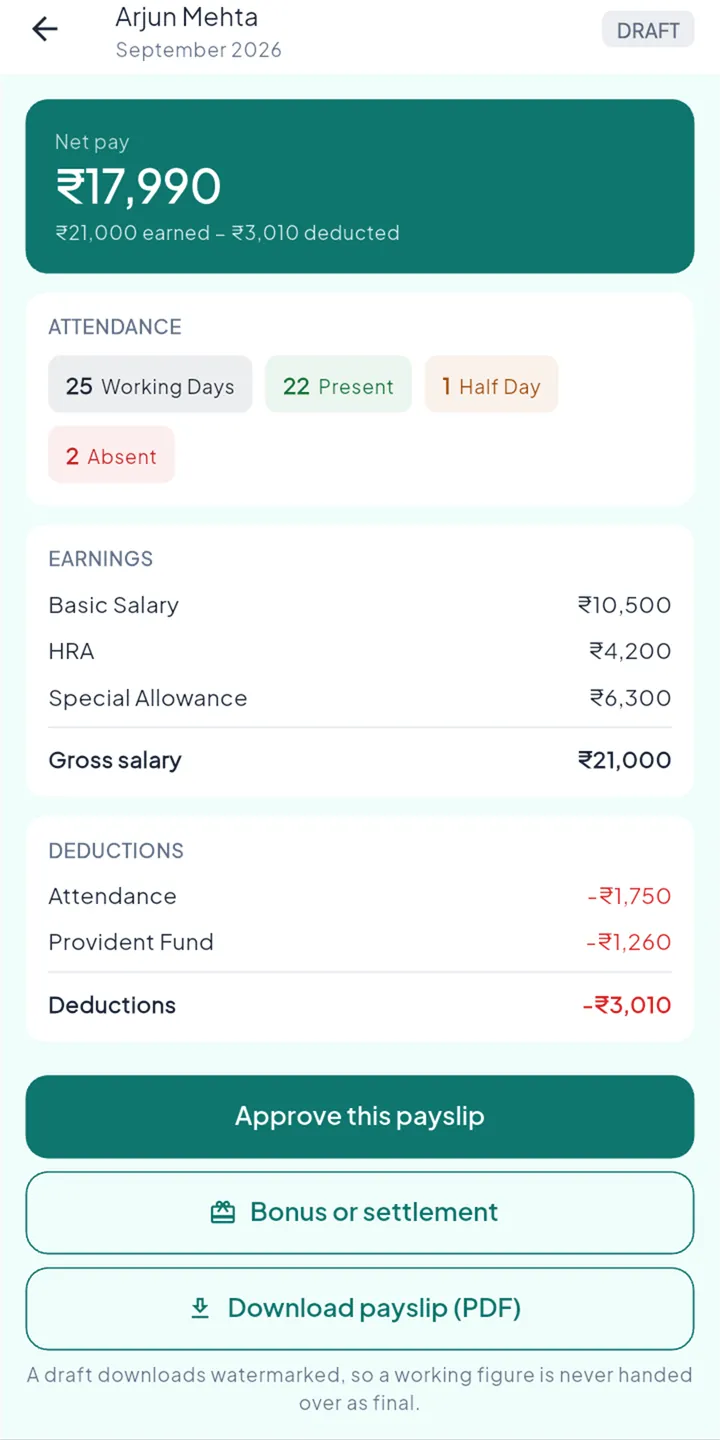
Pay worked out from the month’s attendance. Approve, mark paid, and payslips reach staff.
Read more →Reports, Excel and PDF
Daily, monthly, late and leave reports. Export anything to Excel or PDF.
Read more →Team and roles
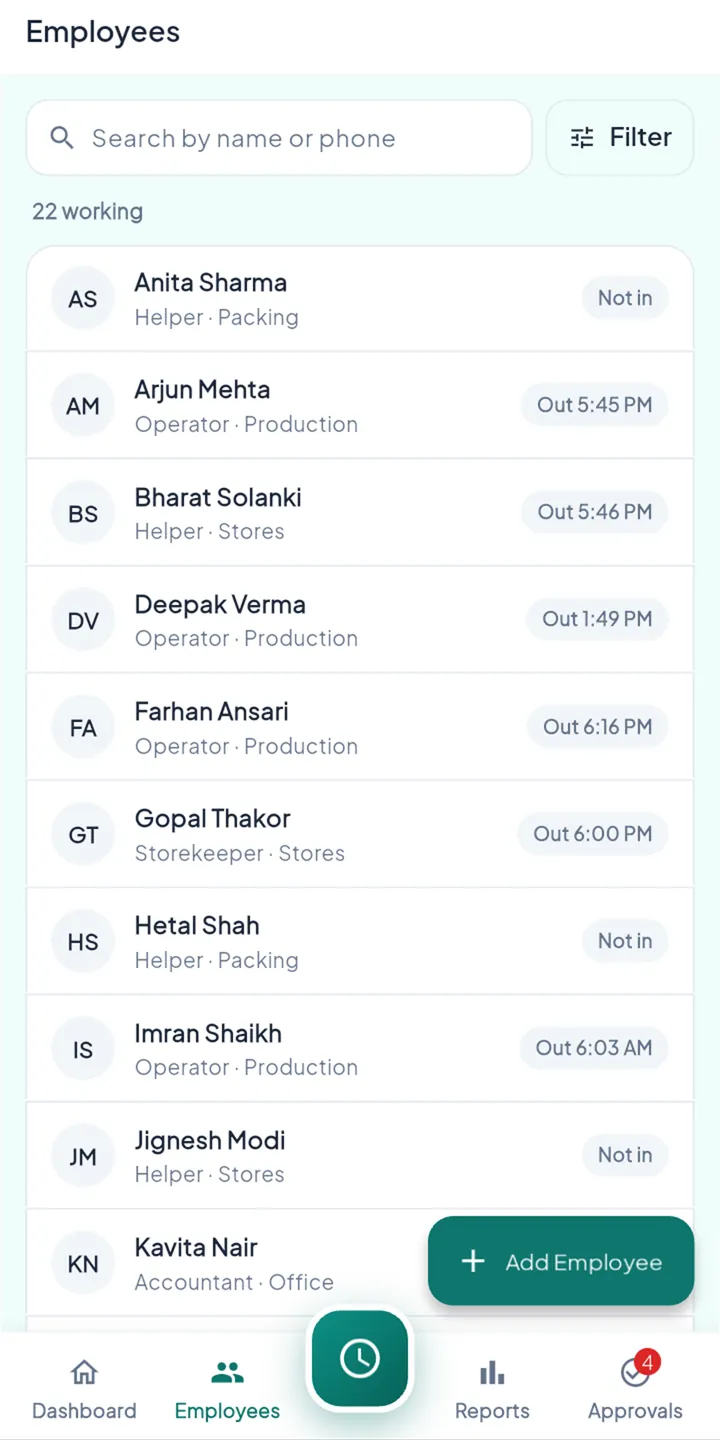
Managers, HR and supervisors see only what you allow. A new phone waits for your approval.
Read more →From the first punch to payday, on one phone.
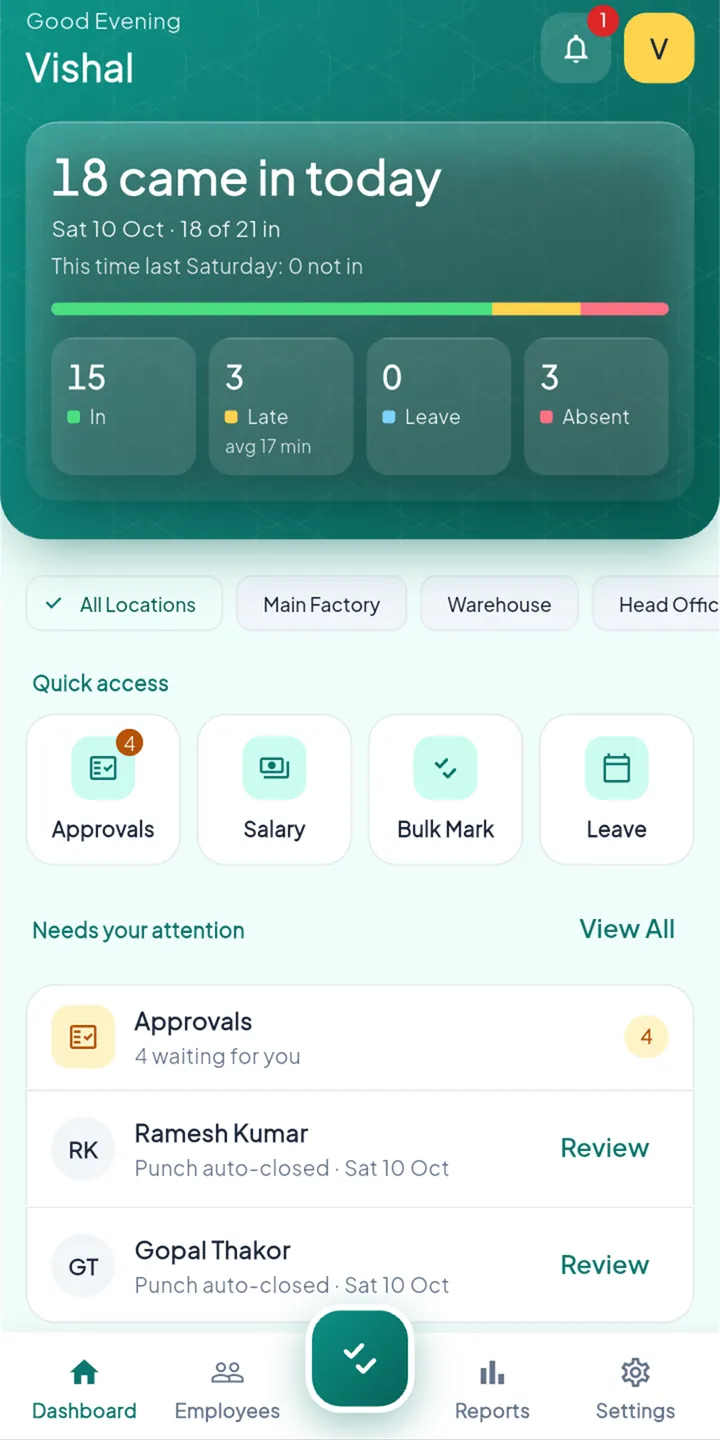
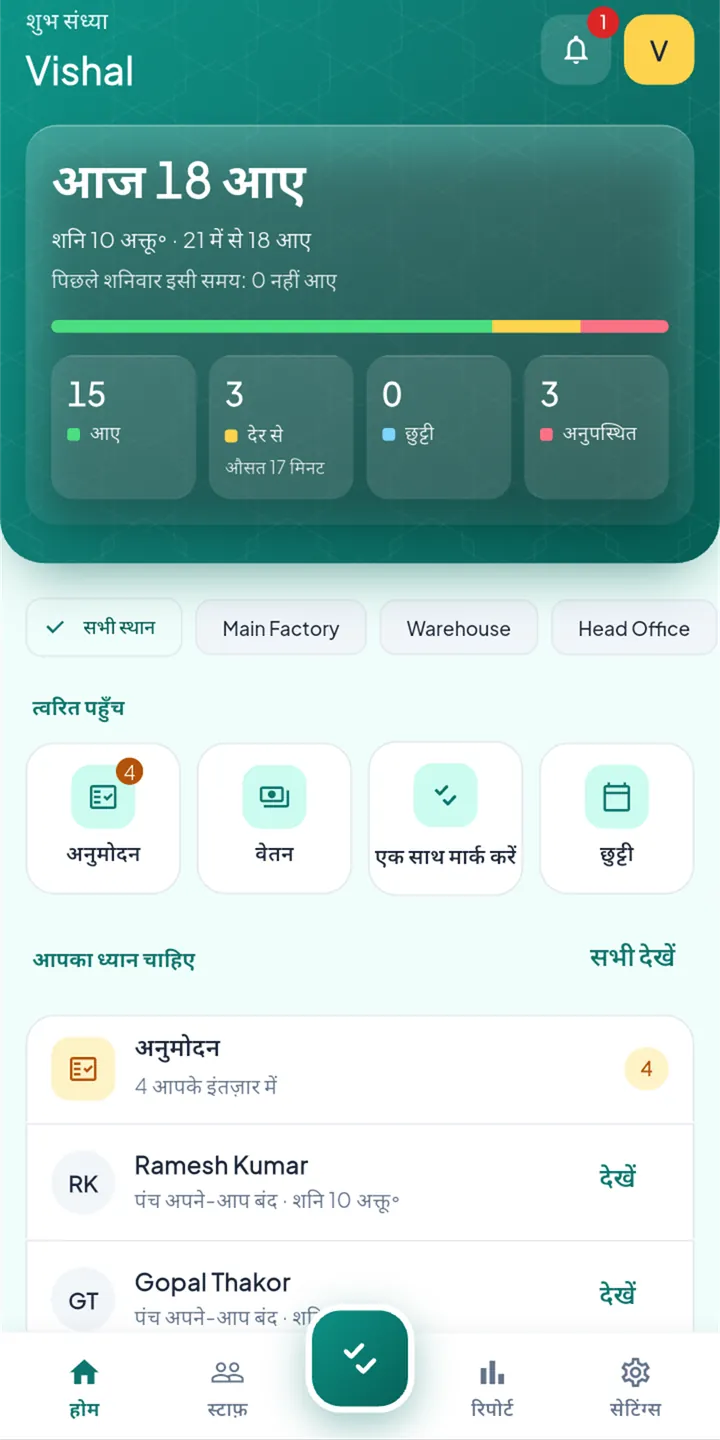
Know who came in before you reach the shop.
The dashboard counts who is in, late, on leave or absent as people punch, across every workplace.
GPS attendance →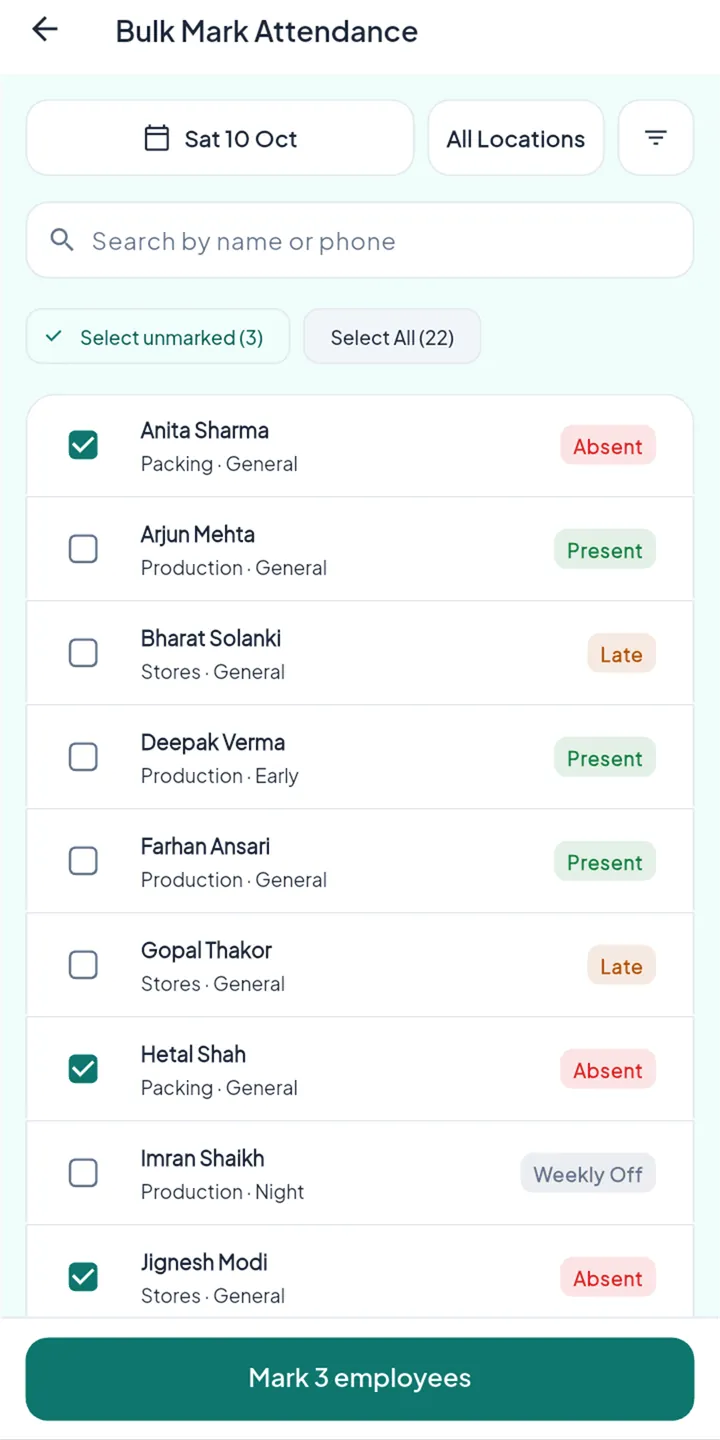
Inside the circle, the punch goes through. Outside, it doesn’t.
You draw your workplace on the map and choose a radius from 50 to 500 m. Pick where Ravi is standing and see what StaffBee does.
From first install to first payslip.
- 1
Set up your business
Put your workplaces on the map, set the radius, then add shifts, weekly offs, holidays and leave types.
- 2
Add staff, send the invite
Add each person by name and mobile number. Each gets a one-time invite on WhatsApp or by QR code.
- 3
Staff punch in at work
They open the app at the workplace and punch. A selfie is added if you’ve turned that on.
- 4
Salary at month end
StaffBee works out pay from the month’s attendance. You check it, approve it, and payslips go to staff.
The month’s days become the month’s pay.
No copying from a register into a calculator. StaffBee counts the closed days, shows how each rupee was worked out, and keeps a paid payslip unchanged forever.
Tap any working day to change it, and watch the payslip follow.
- Monthly salary
- ₹18,000
- Per day (÷ 26 working days)
- ₹692.31
- Working days
- 26
- Present
- 24
- Paid leave
- 1
- Half days (0)
- —
- Absent (1)
- − ₹692
- Net pay
- ₹17,308
An example. Paid leave, weekly offs and holidays are paid; an absent day is deducted at the day rate, a half day at half of it.
Made for businesses where staff work on the floor, not at a desk.
Speaks the language of your shop floor.
Each person picks their own language. The owner can work in English while the team sees Hindi, Gujarati or Tamil, all on the same records.
Attendance, not surveillance.
StaffBee records when someone starts and ends their working day. It doesn’t follow anyone between punches.
Location only at punch time
Read once when someone punches. No background location, no tracking through the day.
Honest punches
Fake-location apps and emulators can’t punch, and the server checks the distance again itself.
Signed in on one phone
A sign-in is tied to a key in the phone’s hardware. A new phone waits for the owner’s approval.
Corrections never erase
A manual change shows who made it and when. The original punch and selfie stay.
Your business owns its data
Export to PDF or Excel at any time. We don’t sell data and the app has no advertising.
Stored in India
Servers, database and photo storage are in Mumbai. Every business is kept separate.
Questions owners ask
Do my staff need a smartphone?
For punching, yes: any Android phone. Staff without one can be marked by you or a supervisor, one by one or in bulk, with the change recorded.
What if there’s no internet at the workplace?
Punches are saved on the phone and sent when it’s back online. The server checks each one when it arrives.
I have my staff list in Excel. Do I type it all in again?
No. Send us the sheet and we’ll import it for you, free. Adding people one by one in the app takes about a minute each.
Can I set up my own salary structure, like HRA or PF?
Yes. Add any earning or deduction you use (Basic, HRA, allowances, PF, advances) as a fixed amount or a percentage, for example PF at 12% of Basic. StaffBee applies it to every payslip. Government rules such as PF and ESI wage limits or Professional Tax by state aren’t applied automatically yet, so you choose the amounts.
Is there an iPhone app?
Not yet. StaffBee is on Android today, and the iPhone app is being prepared.
Close the register. Open StaffBee.
Set up in an afternoon. We’ll help you bring your staff list across, free.